
Reservation import
Reservation import, no retyping.
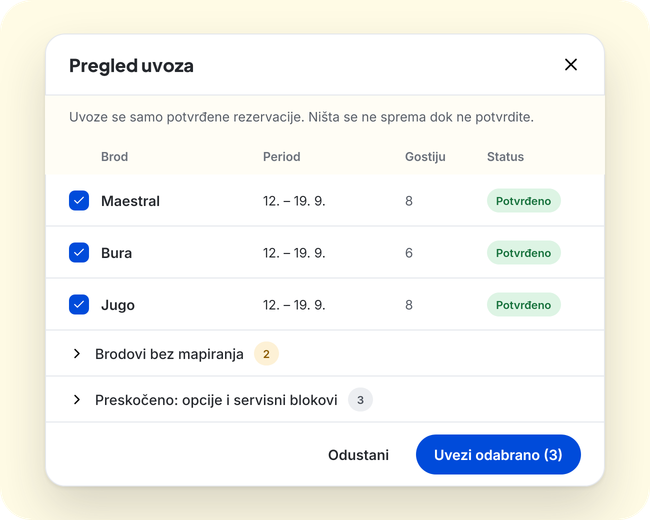
Confirmed reservations land on the season board instead of being retyped by hand. Before the import you see what will happen.
How it works
- 1
Connect
Enter an API key and map the boats from your booking system to the boats in Oovala.
- 2
Review
The preview shows what will be imported, and nothing is written until you confirm. Only confirmed reservations are imported, not options or service blocks.
- 3
Import and keep working
Crew, notes, deposits and checklists you entered in Oovala are not overwritten by a later import.
What you get
- Connection with an API key
- Boats from the booking system are mapped to boats in Oovala
- Only confirmed reservations are imported, not options or service blocks
- A preview before anything is written
- Crew, notes, deposits and checklists entered in Oovala are not overwritten by a later import
Who uses it
- Office and coordinators: reservations without retyping
- Base manager: a board of real charters, with prep left untouched
Questions and answers
Which booking systems do you support?
Connecting depends on your booking system. We will check it with you in the demo.
Will an import overwrite my data?
No. A later import updates only the reservation's dates, boat, status and guest count. Crew, notes, deposits and checklists stay.