
Season board
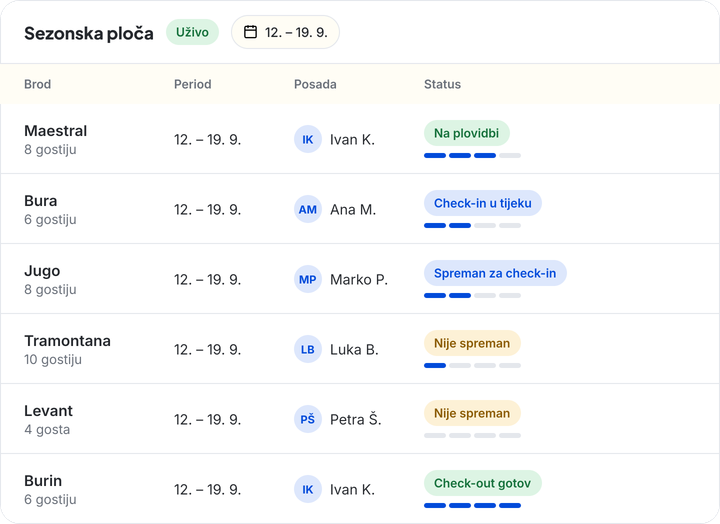
Your whole base on one screen.
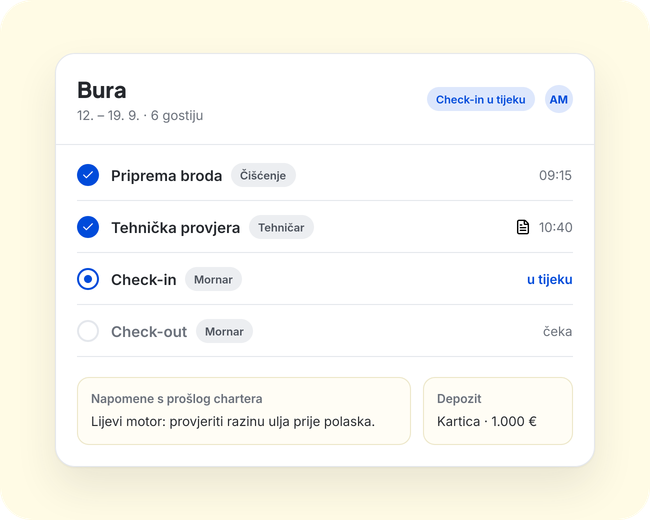
- Every charter with a readiness label and step-by-step progress
- Crew, deposits and notes from the previous charter in one place
- The board updates live
Software for charter bases
Boat prep, signed check-in and check-out with a PDF, defects with photos and work orders. One place for the whole team.
20 minutes. No obligation.
Today
“Is boat 7 cleaned? I ask in the group and wait for an answer.”
With Oovala
Every boat has a readiness label and step-by-step progress. You see it on one screen.
Today
“I took a photo of the defect on my phone. A week later nobody knows it exists.”
With Oovala
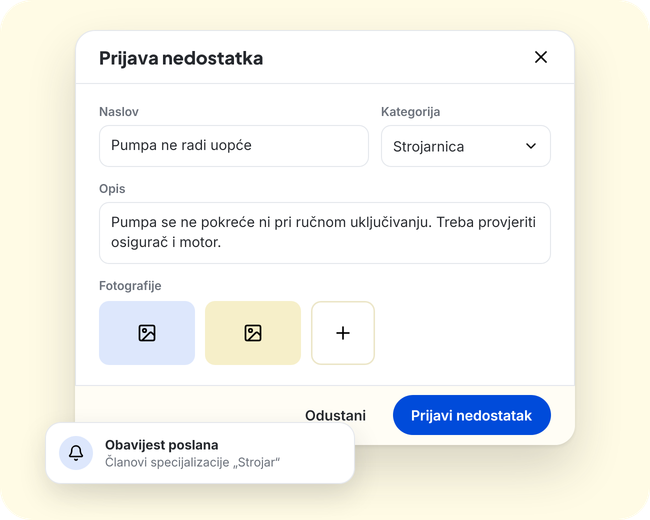
A defect is reported with photos and goes to members of the right specialization. It stays in the boat's history.
Today
“The handover is on paper. When a signature is needed, nobody can find it.”
With Oovala
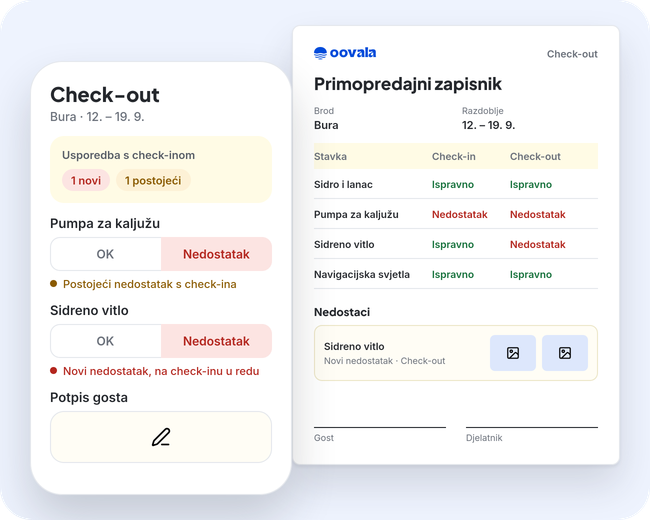
Guest and employee sign on the device, and the handover is saved as a PDF.
A boat's status changes as the team finishes steps, from prep to check-out.
Every team member sees their own tasks for a boat before the guests arrive.
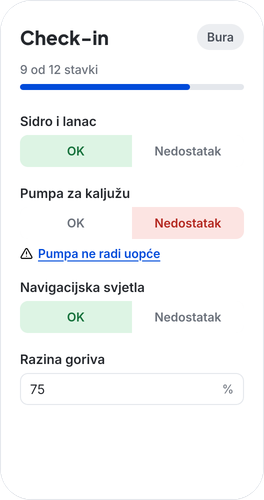
A checklist on the phone, defects with photos, guest and employee signature.
The boat is on the water, and the board shows the state of every charter.
Check-out is compared with check-in: new and existing defects, a handover PDF.
Season board
Check-in and check-out
Defects and interventions
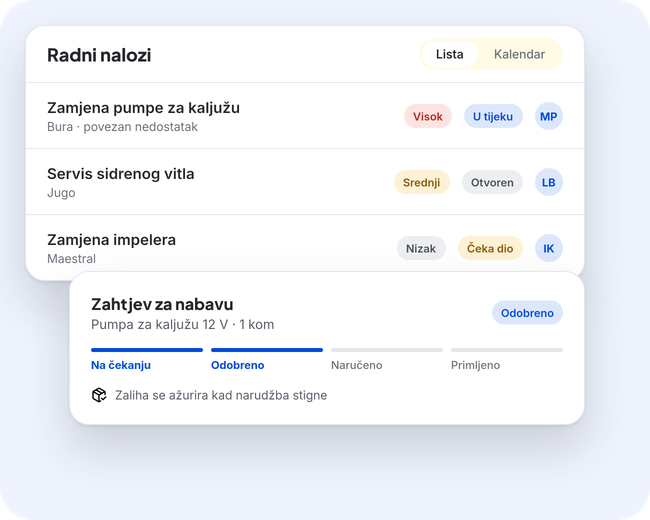
Work orders and procurement
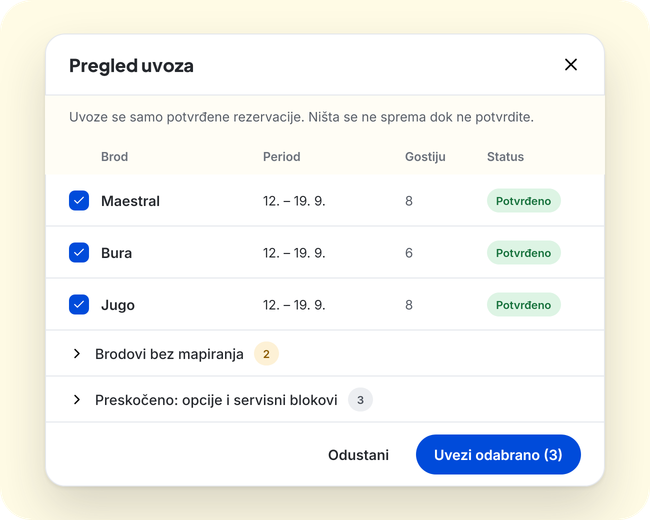
Reservation import
The office sees the whole base on the board. Each team member sees only their own tasks on the phone.
The whole base on one board: readiness, crew, deposits and notes.
Check-in and check-out with a signature, right on the phone.
Only the tasks assigned to them, by boat and day.
Tasks and defect reports with photos.
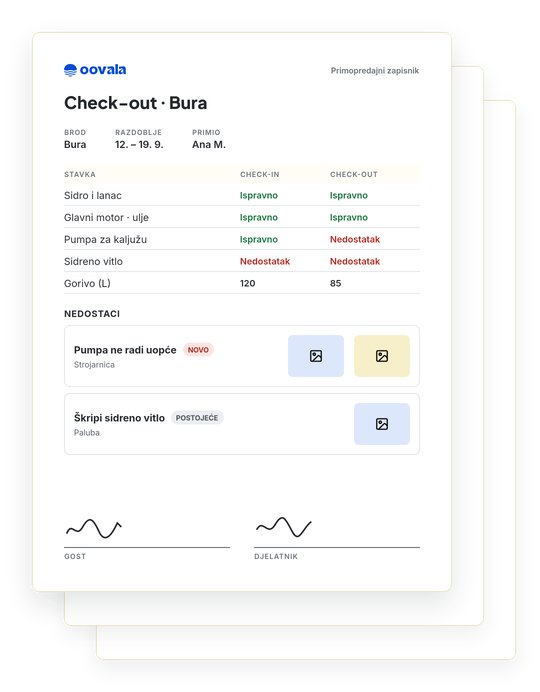
Sample handover
A branded PDF with the item list, defects with photos, interventions and the guest's and employee's signatures. A signed handover cannot be edited.
Download the sample handover (PDF)A sample with invented data.
The office sees the whole base on the season board. Each team member sees only their own tasks on the phone, under “My tasks”.
Yes. Oovala connects with an API key, boats are mapped, and you see a preview before anything is imported. Only confirmed reservations are imported. We will check with you in the demo whether your booking system is supported.
Yes. You build checklists yourself: short and long text, options, date, numbers, photos, an attachment and OK/defect fields.
A branded handover PDF with the item list, defects with photos and the interventions from the charter period. Guest and employee sign on the device, and a signed handover cannot be edited.
The defect gets photos and a category. Members of the matching specialization are notified, and you can link the defect to a work order. It stays in the boat's history.
The price depends on fleet size and package, and is agreed after the demo.
Book a demo and see Oovala at work: the board, check-in and check-out, defects and work orders.